Medical & editorial notice: Symptoms Insight publishes general health information for educational purposes only. It is not a substitute for professional medical advice, diagnosis, or treatment. Always seek the advice of a qualified healthcare provider with questions about a medical condition.
Review snapshot
What we checked for this guide
Official sources used
Pages checked while updating this article
Introduction
A few years ago, seeing a clinician meant taking time off work, sitting in a waiting room, and driving home with a prescription. Today, for a growing list of everyday health needs, you can do all of that from your kitchen table. Telemedicine — sometimes called telehealth or virtual care — lets you connect with a licensed clinician by video, phone, or secure message, often within minutes.
By 2026, telemedicine has moved from a pandemic-era workaround to a normal part of how people manage colds, rashes, refills, mental health, and long-term conditions. The convenience is real, but so are the questions: Which app should I use? What can it actually treat? Is it private? And when do I still need to be seen in person?
This guide answers all of that. Instead of ranking specific brand names that change constantly, it teaches you how to choose and use the best telemedicine app for your situation, safely and confidently. For the bigger picture, explore our Health Tech hub and our companion explainer on the Mochi Health wellness platform.
Medical note: This article is for general education only. It is not medical advice, diagnosis, or treatment, and it does not endorse any specific app or provider. Telemedicine is not for emergencies. For chest pain, trouble breathing, signs of stroke, or any life-threatening situation, call your local emergency number or go to the nearest emergency department immediately.
What Is Telemedicine, and How Does It Work?
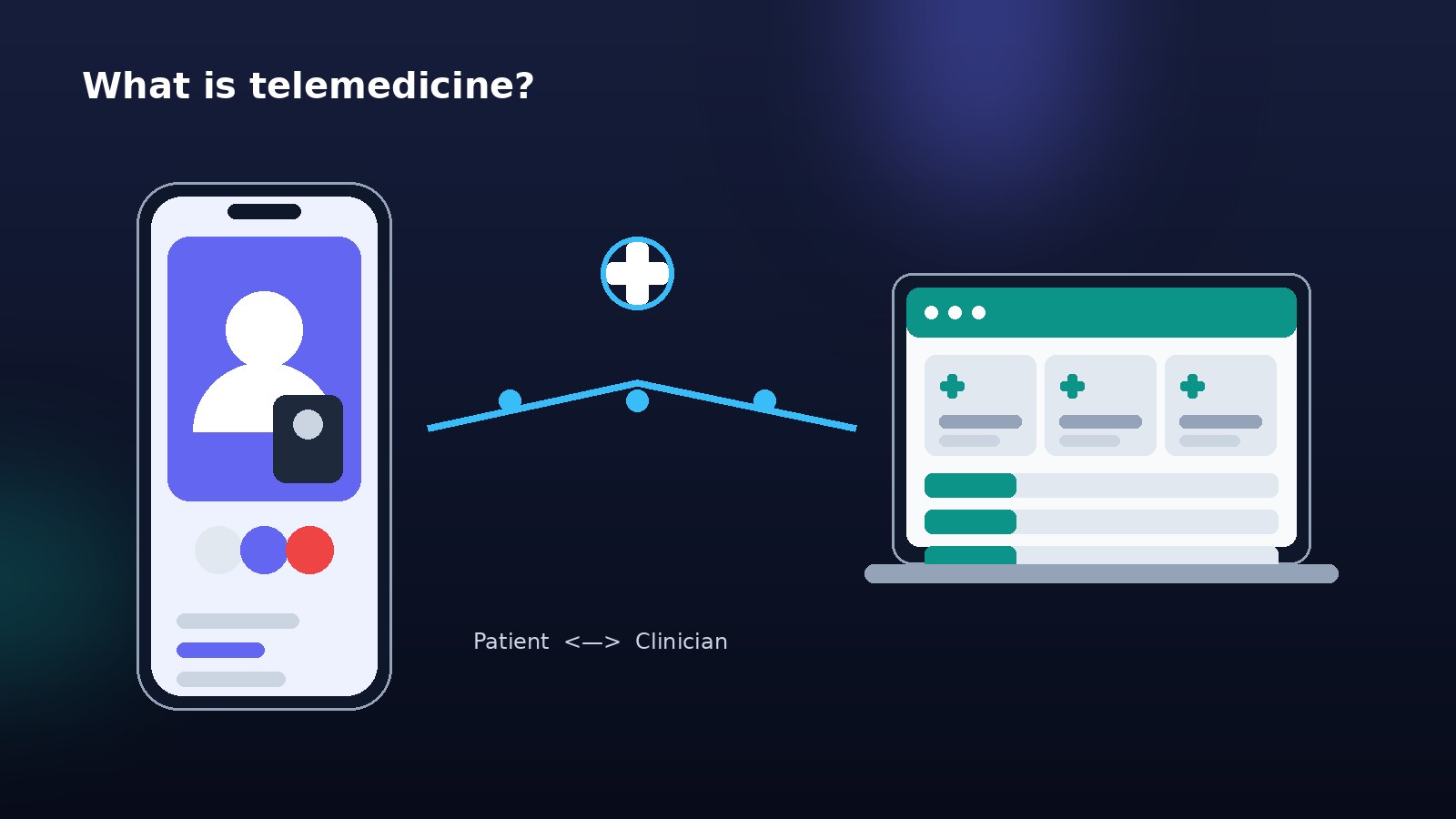
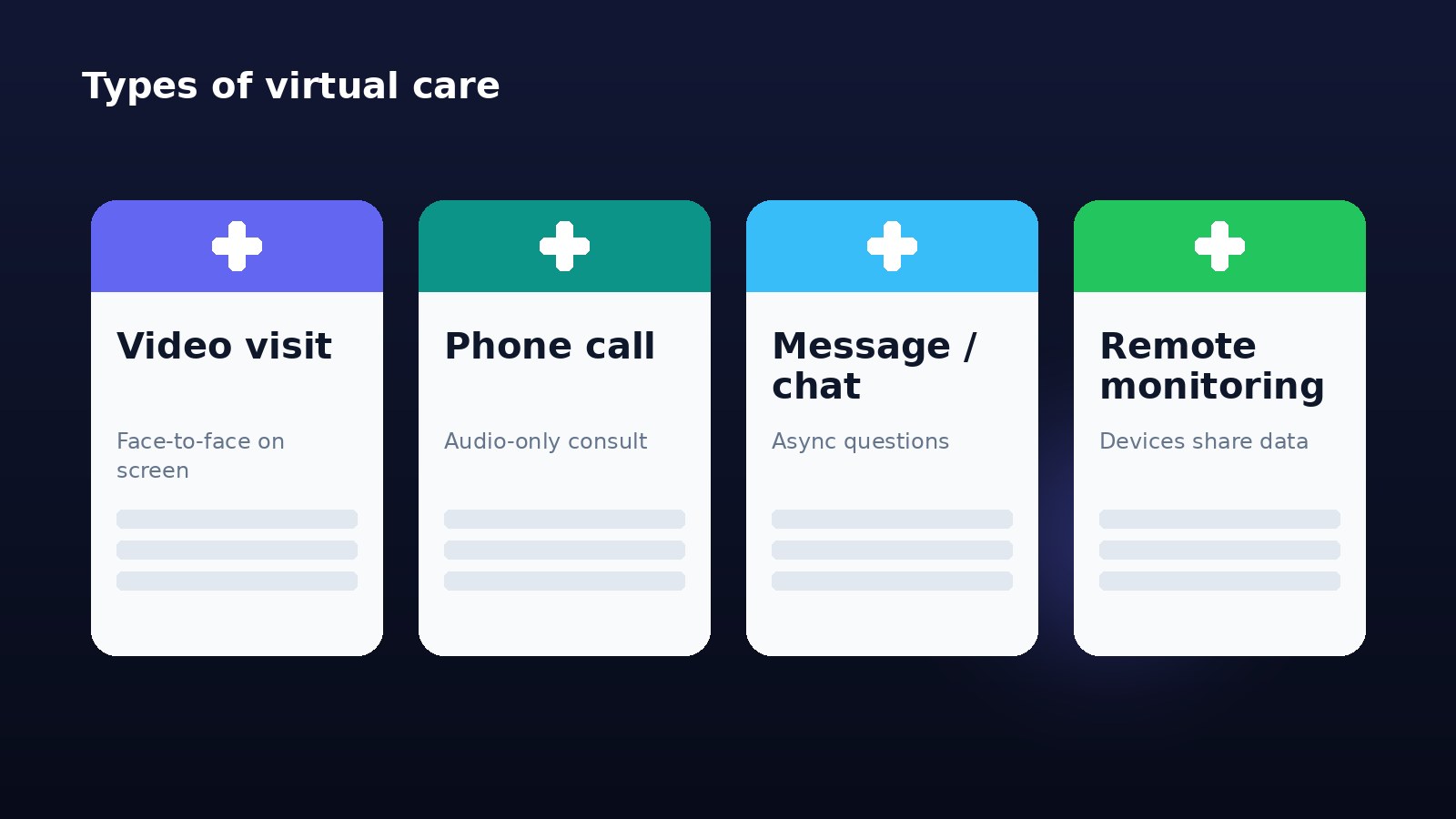
Telemedicine is the use of technology — an app, website, phone, or connected device — to deliver health care at a distance. According to NIH MedlinePlus, telehealth can include live video visits, phone calls, secure messaging with your care team, and remote monitoring of things like blood pressure or blood sugar from home.
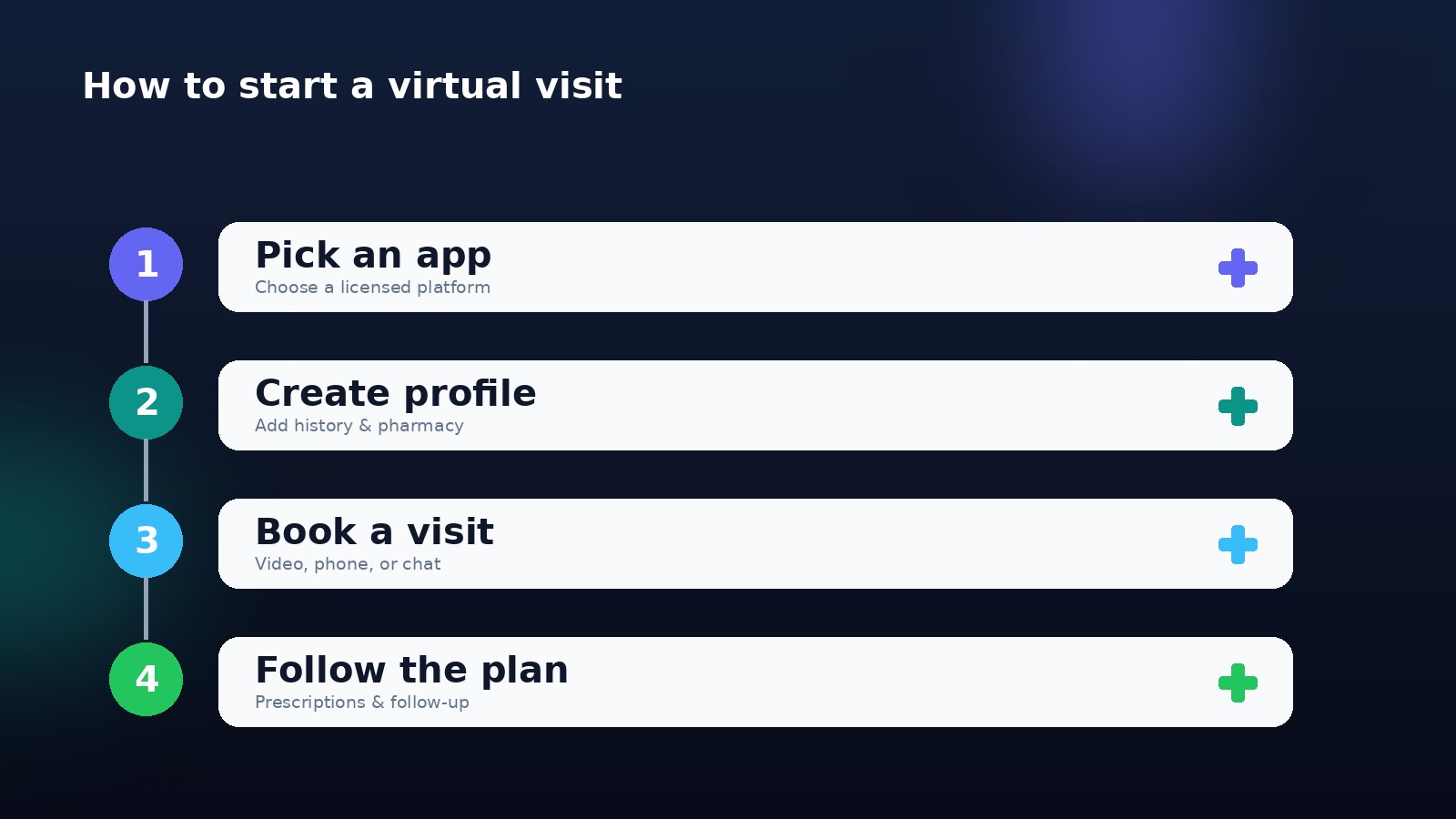
The typical everyday-care flow looks like this:
- Download the app or open the patient portal and create an account.
- Add your details — medical history, current medications, allergies, and your preferred pharmacy.
- Choose a visit type — an on-demand video call, a scheduled appointment, a phone visit, or a message thread.
- Meet the clinician, describe your symptoms, and show any visible problem (like a rash) on camera.
- Get a plan — advice, a prescription sent to your pharmacy, a lab or imaging order, or a referral for in-person care.
The whole process can take 10–20 minutes for a simple issue, and you never leave home. As the Mayo Clinic explains, the goals of telehealth are to make care more accessible, coordinate care between visits, and support self-management of chronic conditions.
Telemedicine vs telehealth: is there a difference?
The words are often used interchangeably. In practice, telehealth is the broader umbrella (including provider education, remote monitoring, and public health), while telemedicine usually refers specifically to clinical visits between a patient and a clinician. For everyday care, you can treat them as the same thing.
Types of Virtual Care You'll Encounter
Not every telemedicine app works the same way. Understanding the formats helps you pick the right one for the moment.
| Type | Best for | What to expect |
|---|---|---|
| Live video visit | Rashes, most everyday issues, mental health | Face-to-face on screen, closest to an office visit |
| Phone (audio-only) visit | Follow-ups, medication questions, low bandwidth | No camera needed — helpful for older adults or poor internet |
| Secure messaging / chat | Non-urgent questions, results, refills | Asynchronous; a clinician replies within hours |
| Remote patient monitoring | Blood pressure, diabetes, heart conditions | Home devices share readings with your care team |
| "E-visit" questionnaires | Very simple, well-defined issues | You answer questions; a clinician reviews and responds |
Many platforms combine these — for example, a video visit that ends with a follow-up message thread, or a chronic-care program that pairs monitoring devices with periodic video check-ins.
What Can Telemedicine Treat — and What It Can't
This is the single most important thing to understand before you book a visit. Telemedicine is excellent for a defined set of everyday problems and inappropriate for emergencies or anything needing hands-on care.
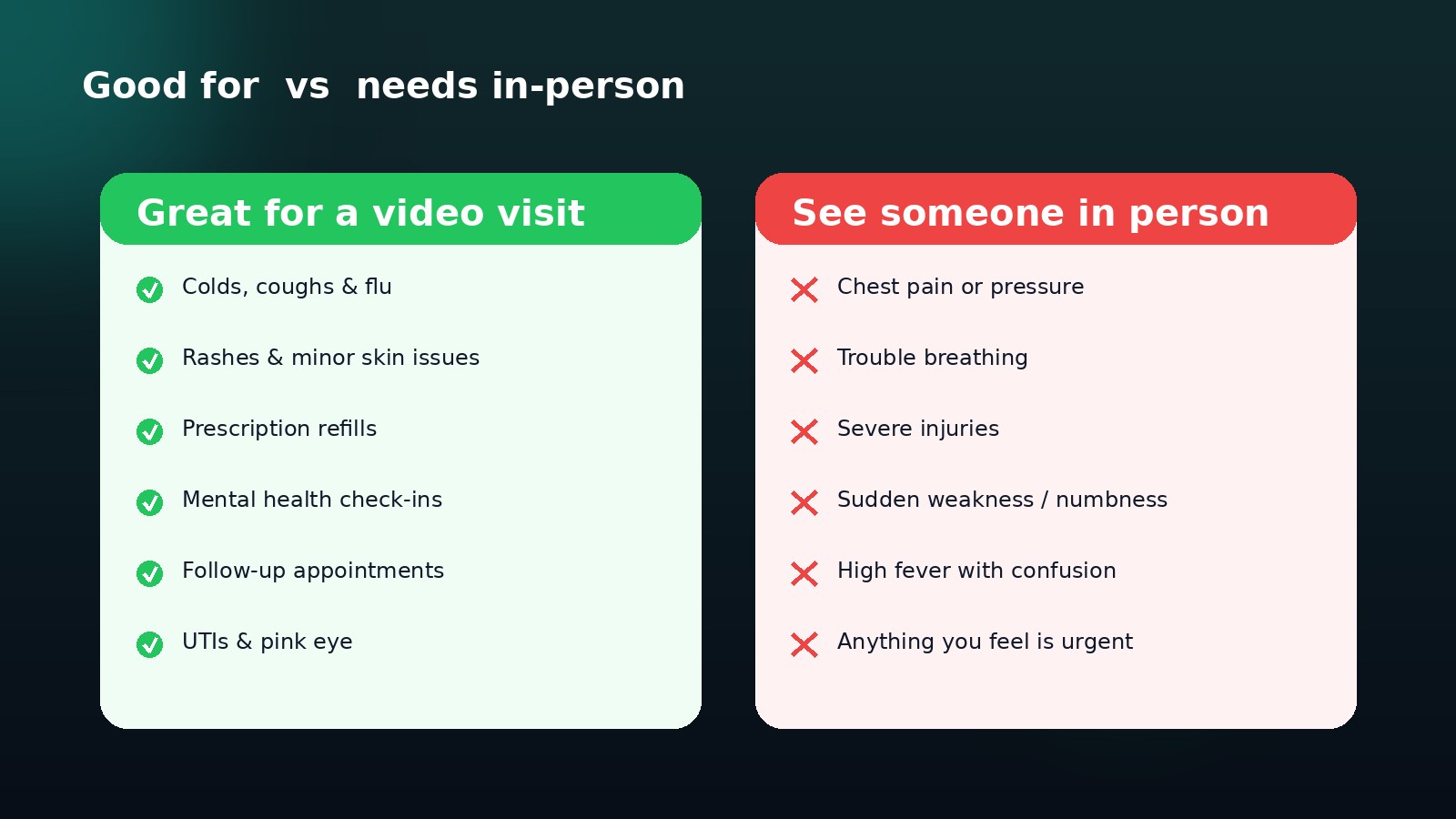
Great for a virtual visit
- Cold, cough, flu, and sore throat — symptom relief and guidance
- Minor skin problems — rashes, acne, insect bites, mild eczema
- Urinary tract infections — many are managed virtually; see our UTI symptoms guide
- Pink eye and minor eye irritation
- Prescription refills for stable, ongoing medications
- Mental health check-ins — anxiety, low mood, therapy, and medication reviews; our guide to physical symptoms of anxiety explains the mind–body link
- Follow-up appointments after a diagnosis or procedure
- Chronic-condition monitoring — like blood pressure and blood sugar reviews
Needs an in-person or emergency visit
Per the CDC, telehealth is not a substitute for emergency care. Seek in-person help for:
- Chest pain or pressure
- Trouble breathing or shortness of breath
- Signs of stroke — sudden weakness, numbness, facial drooping, or slurred speech
- Severe injuries, deep cuts, or heavy bleeding
- High fever with confusion, stiff neck, or a spreading rash
- Severe abdominal pain or anything that feels urgent
When in doubt, err on the side of being seen. A good telemedicine clinician will also tell you to go in person if they can't safely assess or treat you on camera — that honesty is a sign of quality, not a failure of the service.
How to Choose the Best Telemedicine App
Because app names, features, and prices change constantly, the smartest approach is to judge any platform against a consistent checklist. These six factors matter most.
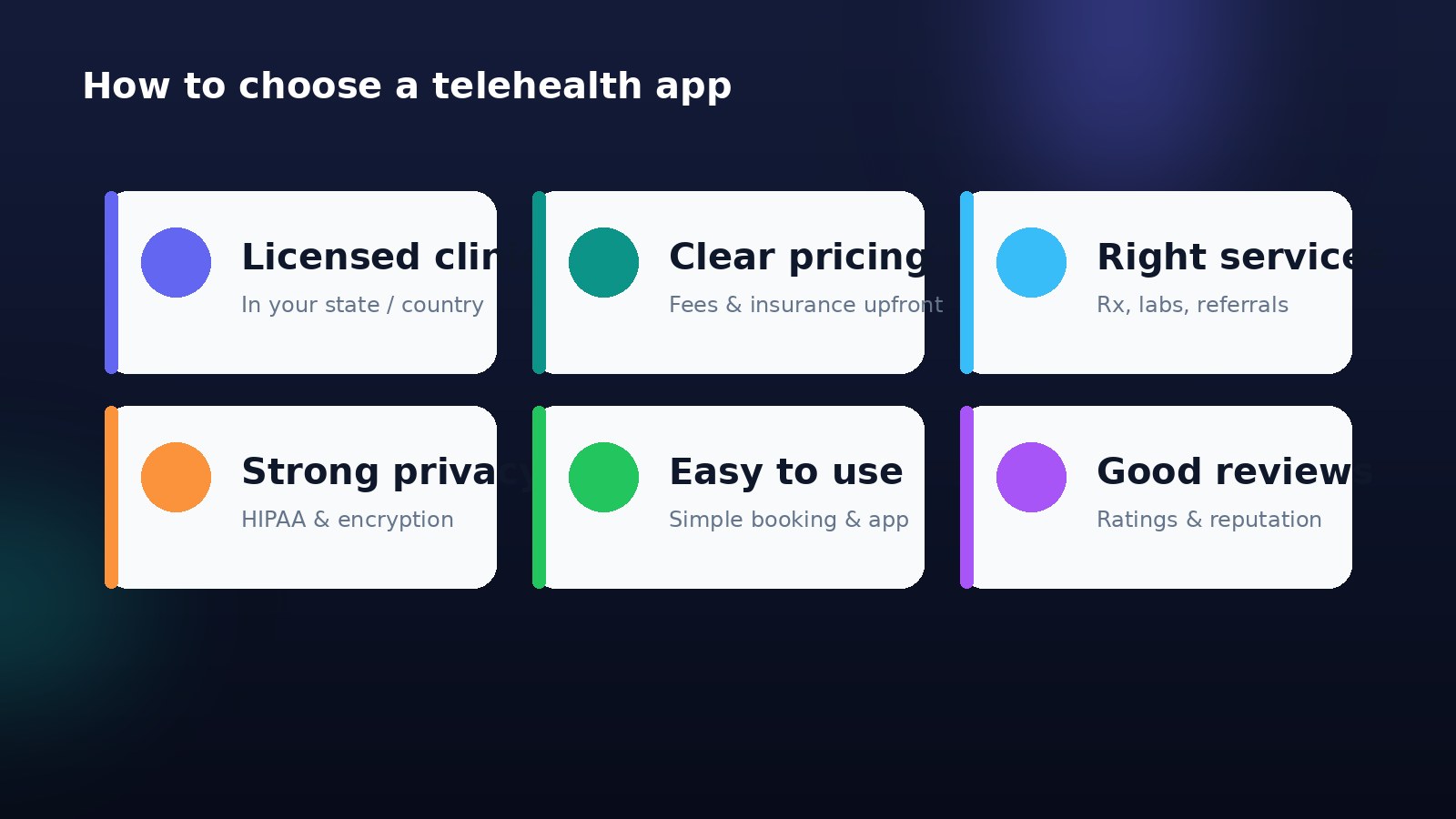
1. Licensed clinicians in your region
The clinician must be licensed to practice where you are located at the time of the visit. Reputable apps show the clinician's name and credentials. Be wary of any service that is vague about who is treating you.
2. Transparent pricing and insurance
Look for clear, upfront costs before you book. Does the app take your insurance? Is there a flat visit fee? Are prescriptions or labs extra? Surprise fees are a red flag. We'll cover cost in more detail below.
3. The services you actually need
Match the platform to your goal. Some apps focus on urgent everyday issues, others on mental health, dermatology, chronic care, or women's or men's health. A few offer labs, imaging referrals, and specialist access. Pick one that covers what you'll realistically use.
4. Strong privacy and security
Your health data is sensitive. Choose platforms that follow health-privacy laws (like HIPAA in the US), use encryption, and publish a clear privacy policy. More on this in the privacy section.
5. Ease of use
A clunky app you can't navigate defeats the purpose. Good telemedicine apps have simple booking, clear instructions, an easy way to upload photos, and readable visit summaries afterward.
6. Reputation and reviews
Check independent reviews and ratings, and — where available — whether the service is accredited. Consistent complaints about billing, canceled visits, or unreachable clinicians are warning signs.
Tip: Your own doctor's office or health system may already offer virtual visits through its patient portal. That option keeps care connected to your existing records, which is often the best experience of all.
What Does a Telemedicine Visit Cost in 2026?
Cost depends heavily on your country, insurer, and the platform, but a few general patterns hold:
| Scenario | Typical cost pattern |
|---|---|
| Insured, in-network virtual visit | A copay similar to (or lower than) an in-person visit |
| Out-of-pocket on-demand visit | A flat per-visit fee, often less than urgent care |
| Subscription / membership apps | A monthly fee that bundles messaging and visits |
| Employer or public-program benefit | Sometimes free or heavily subsidized |
Many insurers and public programs expanded telehealth coverage in recent years, and some cover virtual visits at parity with in-person care — but these rules are reviewed and updated periodically, so always confirm before you book. If you're paying yourself, a flat-fee virtual visit for a minor issue is frequently faster and cheaper than a trip to urgent care.
Privacy and Data Safety: What to Check
Handing over health details through an app understandably raises privacy questions. The good news is that legitimate telemedicine is built around strict safeguards.
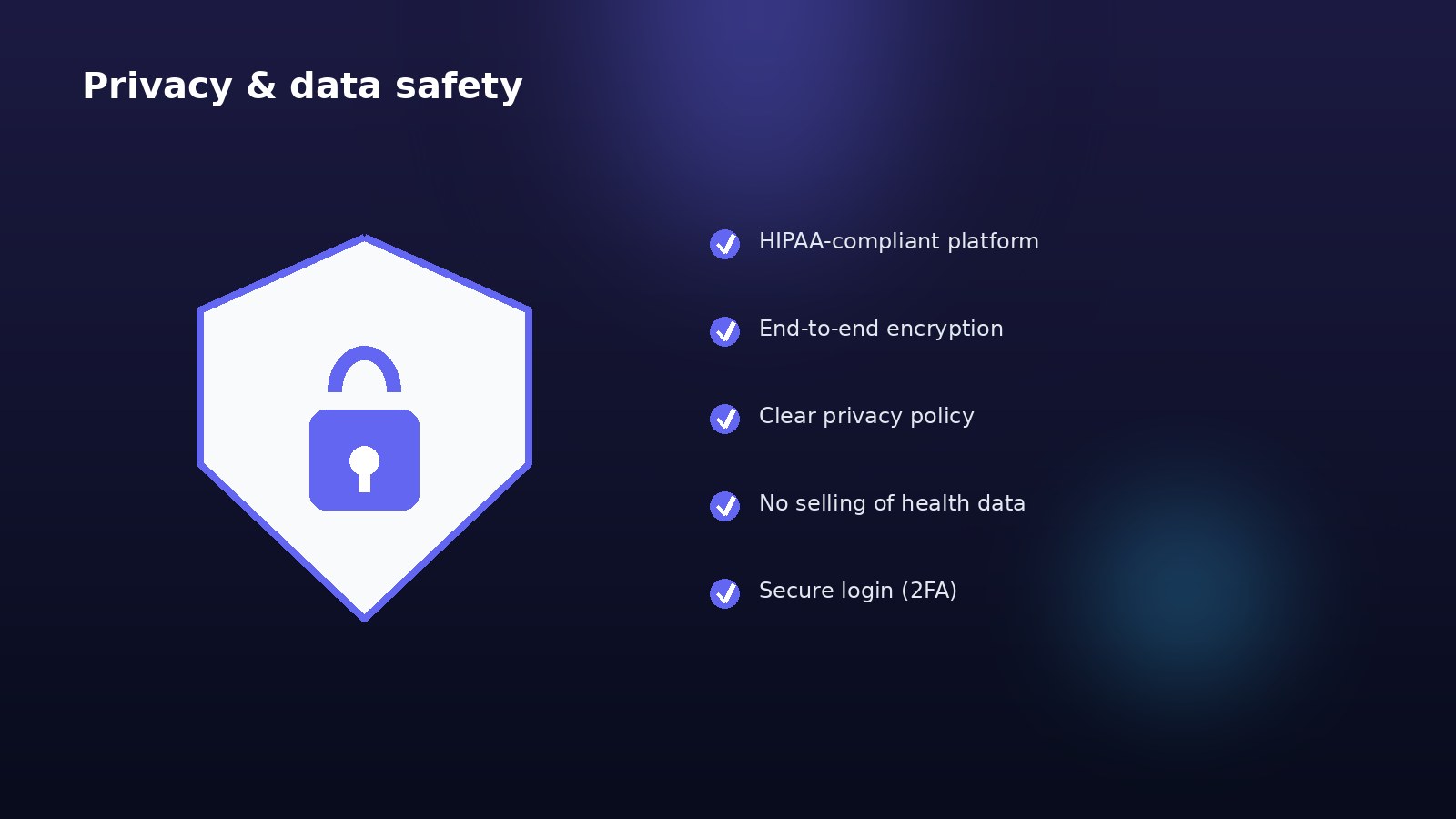
Protect yourself with these habits:
- Use HIPAA-compliant, reputable platforms (or the equivalent health-privacy standard in your country).
- Read the privacy policy — know what data is collected and whether it's shared or sold. Avoid apps that monetize your health information.
- Join visits on a secure, private connection — your home Wi-Fi or mobile data, not open public networks, and somewhere others can't overhear.
- Enable two-factor authentication and use a strong, unique password.
- Keep the app updated so you have the latest security fixes.
- Save your visit summaries and know how to access or download your records.
The World Health Organization emphasizes that digital health tools must protect privacy and be trustworthy to deliver real benefit — so a platform's seriousness about data protection is a genuine mark of quality.
How to Get the Most Out of a Virtual Visit
A little preparation makes a virtual visit as effective as an in-person one for the right problems.
Before the visit
- Test your tech — camera, microphone, and a stable connection.
- Find a private, well-lit, quiet space so the clinician can see and hear you clearly.
- Gather your information — current medications, allergies, symptom timeline, and your pharmacy.
- Take readings if relevant — temperature, blood pressure, weight, or blood sugar.
- Write down your questions so you don't forget them.
During the visit
- Be specific about when symptoms started and how they've changed.
- Show the problem on camera if it's visible (rash, swelling, eye).
- Ask about next steps — what to watch for, when to follow up, and when to seek in-person care.
- Confirm the plan — prescriptions, tests, and referrals — before you hang up.
After the visit
- Read your visit summary and follow the instructions.
- Fill prescriptions and set reminders.
- Book any recommended follow-up or in-person tests.
- Track your symptoms, and reach out again if things don't improve as expected.
Good self-care between visits amplifies the benefit. Our guides on daily wellness habits for more energy, sleep hygiene, and stress management techniques all support the plan your clinician sets.
Telemedicine for Mental Health
Mental health care is one of the best-suited and fastest-growing uses of telemedicine, because talk therapy and medication reviews rarely need a physical exam. Video and phone sessions can make support more accessible and less intimidating — no commute, no waiting room, and often more appointment availability.
Virtual mental health services can help with anxiety, low mood, stress, and ongoing medication management. If you notice that stress is showing up in your body — tension, a racing heart, or stomach upset — our explainer on the physical symptoms of anxiety and our guide to lowering cortisol naturally can help you understand the connection.
Important: If you are in crisis or having thoughts of harming yourself, do not wait for an appointment. Contact your local emergency number or a crisis line immediately.
Telemedicine for Chronic Conditions and Older Adults
For people managing long-term conditions, telemedicine can turn occasional office visits into steady, connected care. Remote patient monitoring lets home devices share blood pressure, blood sugar, weight, or heart-rate data with a care team, so clinicians can spot trends and adjust treatment between visits.
This is especially valuable for conditions like:
- High blood pressure — regular readings and check-ins; see our high blood pressure guide
- Diabetes and prediabetes — glucose tracking and lifestyle support; our early diabetes symptoms guide explains the warning signs
- Fatigue and nutrition follow-ups — reviewing labs for iron, vitamin B12, vitamin D, and thyroid function without repeated trips
- Digestive concerns — check-ins for reflux and gut symptoms; see our GERD guide and gut health guide
Older adults benefit enormously from reduced travel, but may need simpler apps, phone-only visit options, or help from a family member during setup. Choosing an easy-to-use platform matters even more in this group.
Common Myths About Telemedicine
- Myth: Telemedicine is lower-quality care. For the right problems, virtual visits with licensed clinicians follow the same standards as in-person care. The key is matching the visit type to the issue.
- Myth: You can get any prescription online. Clinicians follow the same prescribing rules and safety limits online as in person, and stricter rules apply to controlled substances.
- Myth: It's only for young, tech-savvy people. Phone visits, simpler apps, and family help make telehealth accessible across ages.
- Myth: My data isn't safe. Reputable, HIPAA-compliant platforms use encryption and strict privacy protections — the risk comes from unvetted apps, not telemedicine itself.
- Myth: It replaces your regular doctor. Telemedicine works best as a complement to ongoing care, not a total replacement, and never a substitute for emergencies.
Common Mistakes to Avoid
- Using telemedicine for an emergency instead of calling emergency services
- Choosing an app without checking licensing or who the clinician is
- Ignoring the privacy policy and how your data is used
- Not preparing your medication list, symptoms, and questions
- Skipping the follow-up or in-person tests a clinician recommends
- Assuming insurance covers it without confirming first
When to See a Doctor — Red Flags
Telemedicine is a powerful convenience, but some situations demand immediate, in-person care. Call your local emergency number or go to the emergency department for:
- Chest pain or pressure
- Trouble breathing
- Signs of stroke — face drooping, arm weakness, slurred speech
- Severe bleeding or major injury
- Sudden severe headache or a high fever with confusion or stiff neck
- Thoughts of harming yourself
For anything that is worsening quickly, or that a clinician can't assess safely on camera, choose to be seen in person. When you're unsure, it is always safer to get checked.
Key Takeaways
- Telemedicine lets you see a licensed clinician by video, phone, or message for many everyday health needs — without a waiting room.
- It's great for colds, minor skin issues, UTIs, refills, mental health, and follow-ups; it's not for emergencies or anything needing a hands-on exam.
- Choose an app using a checklist: licensed clinicians, transparent pricing, the right services, strong privacy, ease of use, and good reviews.
- Confirm cost and insurance before booking; flat-fee visits are often cheaper than urgent care for minor issues.
- Protect your data with HIPAA-compliant platforms, secure connections, and two-factor login.
- Prepare your medications, symptoms, and questions to get the most from each visit.
- Red flags — chest pain, breathing trouble, stroke signs, severe injury — always mean in-person or emergency care.
Explore Related Guides
- Mochi Health Explained: A Wellness Platform Guide
- UTI Symptoms in Women: Causes & Treatment
- Physical Symptoms of Anxiety Explained
- How to Lower Cortisol Naturally: Stress Guide
- Stress Management Techniques That Work
- High Blood Pressure: Symptoms, Causes & Prevention
- Early Diabetes Symptoms & Warning Signs
- GERD & Acid Reflux: Symptoms, Diet & Treatment
- Thyroid Symptoms in Women: Causes & Treatment
- Best Sleep Hygiene Tips for Better Rest
- Daily Wellness Habits for Better Energy
- Browse the Health Tech hub, plus the Symptoms & Conditions and Wellness & Lifestyle hubs
Medical Disclaimer
Symptoms Insight publishes general health information for educational purposes only. This article does not provide medical advice, diagnosis, or treatment, and it does not endorse any specific telemedicine app, service, or provider. Telemedicine is not appropriate for medical emergencies. Always seek the advice of a qualified healthcare provider with any questions about your health, symptoms, medications, or a specific platform. Never disregard professional medical advice or delay seeking it because of something you have read here. For chest pain, trouble breathing, signs of stroke, severe injury, or thoughts of self-harm, call your local emergency number or go to the nearest emergency department immediately.
About the publisher

Rajat
Health & Wellness Editor | Global
Health & Wellness Editor | Global
Rajat edits Symptoms Insight as a practical health publication focused on symptoms, vitamin deficiencies, skincare, wellness habits, and digital health — always encouraging readers to consult qualified healthcare professionals for personal medical decisions.
FAQ
Frequently asked questions
What is the best telemedicine app for everyday care?
There is no single best app for everyone. The right choice depends on where you live, whether you want your own doctor's virtual visits or an on-demand service, what your insurance covers, and which services you need such as prescriptions, mental health, or lab orders. The best telemedicine app is one that uses licensed clinicians in your region, is transparent about pricing, protects your data, and is easy to use. For routine issues like colds, rashes, refills, and follow-ups, many national on-demand platforms and your own clinic's patient portal work well.
How does a telemedicine app actually work?
You create an account, add your medical history and pharmacy, then book a video, phone, or messaging visit. At the appointment time you connect with a licensed clinician who asks about your symptoms, may ask you to show a rash or affected area on camera, and then gives advice, orders tests, sends a prescription to your pharmacy, or refers you for in-person care if needed. Everything happens through a secure app or website on your phone, tablet, or computer.
What can telemedicine treat and what does it not cover?
Telemedicine works well for many everyday problems — colds and coughs, flu-like illness, minor skin issues, urinary tract infections, pink eye, prescription refills, mental health check-ins, and follow-up visits. It is not appropriate for emergencies or anything needing a hands-on exam or procedure, such as chest pain, trouble breathing, severe injuries, sudden weakness or numbness, or high fever with confusion. For those, seek in-person or emergency care immediately.
Is telemedicine safe and private?
Reputable telehealth platforms use encryption and follow health privacy laws such as HIPAA in the United States, meaning your consultation and records are protected. To stay safe, use a licensed platform, join visits over a private and secure internet connection, enable two-factor login, and read the privacy policy so you know how your data is used. Avoid apps that are vague about who your clinician is or that sell health information.
Does insurance cover telemedicine visits in 2026?
Coverage varies by country, insurer, and plan. Many insurers and public programs now cover virtual visits, and some cover them at the same rate as in-person care, but rules and copays change over time. Always confirm coverage before your visit. If you are paying out of pocket, on-demand visits are often a flat fee, which can still be cheaper and faster than urgent care for minor issues.
Can a telemedicine doctor prescribe medication?
Yes, licensed clinicians can prescribe many medications through telemedicine and send them electronically to your pharmacy. However, there are limits — controlled substances and certain medications face stricter rules and may require an in-person visit or additional checks, and clinicians will not prescribe if it is unsafe to do so without an exam. This is a safety feature, not a flaw, and protects you from inappropriate prescribing.
When should I choose an in-person visit instead of telemedicine?
Choose in-person care when a physical exam, imaging, blood draw, or procedure is needed, when symptoms are severe or rapidly worsening, or when the clinician cannot safely assess you on camera. Always go to the emergency department or call your local emergency number for chest pain, difficulty breathing, signs of stroke, severe bleeding, or any situation that feels life-threatening. Telemedicine complements in-person care; it does not replace emergencies.
What do I need to have ready for a virtual visit?
Have a charged device with a working camera and microphone, a stable internet connection, and a quiet, well-lit, private space. Keep a list of your current medications, allergies, and symptoms with timing, plus your pharmacy details and any recent readings such as blood pressure or temperature. Write down your questions in advance. Being prepared makes the visit faster and helps the clinician give better advice.
Are telemedicine apps good for mental health support?
Yes. Virtual visits are one of the most popular and well-suited uses of telemedicine because talking therapy and medication check-ins usually do not need a physical exam. Many people find video or phone sessions more accessible and less intimidating than traveling to an office. For a crisis or thoughts of self-harm, do not wait for an appointment — contact emergency services or a crisis line right away.
Can older adults and people with chronic conditions use telemedicine?
Absolutely, and it can be especially helpful for reducing travel and managing ongoing conditions like high blood pressure or diabetes through regular check-ins and remote monitoring. Simpler apps, phone-only visit options, and help from a family member during setup all make telehealth more accessible. Home devices that share blood pressure, glucose, or weight readings let clinicians follow trends between visits.